
SECURE. PERFORMANT. SIMPLE.
With its reliable print servers and printers, as well as intelligent load balancing, steadyPRINT ensures optimal performance and smooth operations in your company and helps you comply with applicable standards and regulations (e.g. KRITIS).
steadyPRINT minimizes the effort involved in a print server migration (including users and drivers).
Reliable printing.
A reliable printing environment is essential for the smooth operation of many processes, such as a hospital’s central emergency room, or on many industrial production lines. With steadyPRINT, you can ensure that your print jobs are processed.
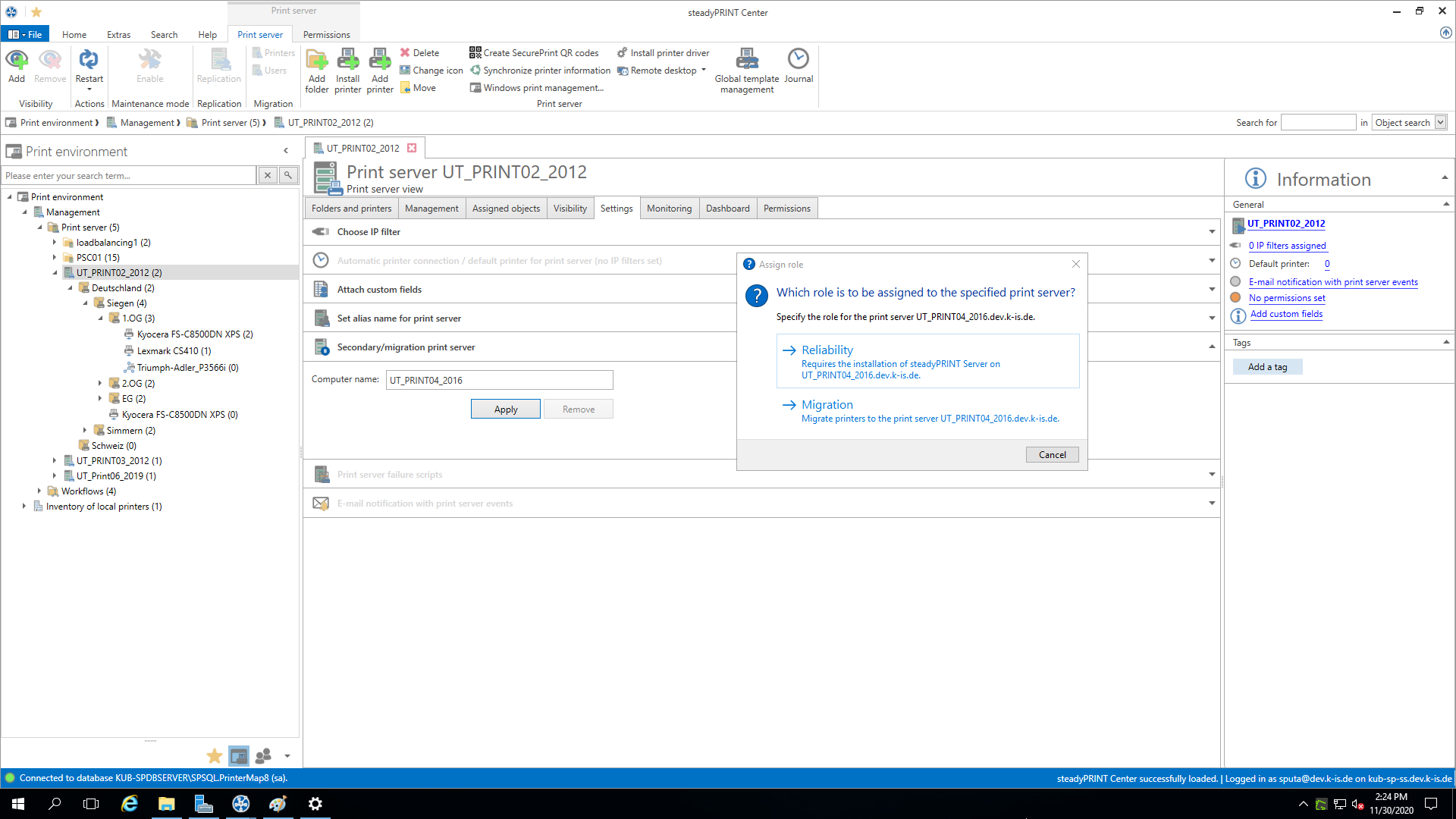
In case of a print server failure, steadyPRINT immediately and completely switches all printer connections to a backup print server without delay. This way, all users can continue to print without any problems. With steadyPRINT, this can also be implemented in specialized systems (HIS, ERP systems etc.).
To ensure the reliability of your printers, you can simply define a backup printer for each printer, which will be used if the desired printer is unavailable.
You can also take advantage of a maintenance mode for print servers and printers, as well as automatic script execution, to secure even applications that are not based on the Windows printer standards.
LOAD BALANCING.
With steadyPRINT Load Balancing, you can set up a print server cluster, which ensures that print jobs are distributed across multiple print servers. This guarantees optimal utilization of your resources and the best possible performance.
Server availability is continuously verified so that steadyPRINT automatically redirects the workload to another server in the event of a server failure. The configurable monitoring feature allows you to specify when a print server is considered operational.
PRINT SERVER MIGRATION.
Keep your printing environment up-to-date – with minimal effort!
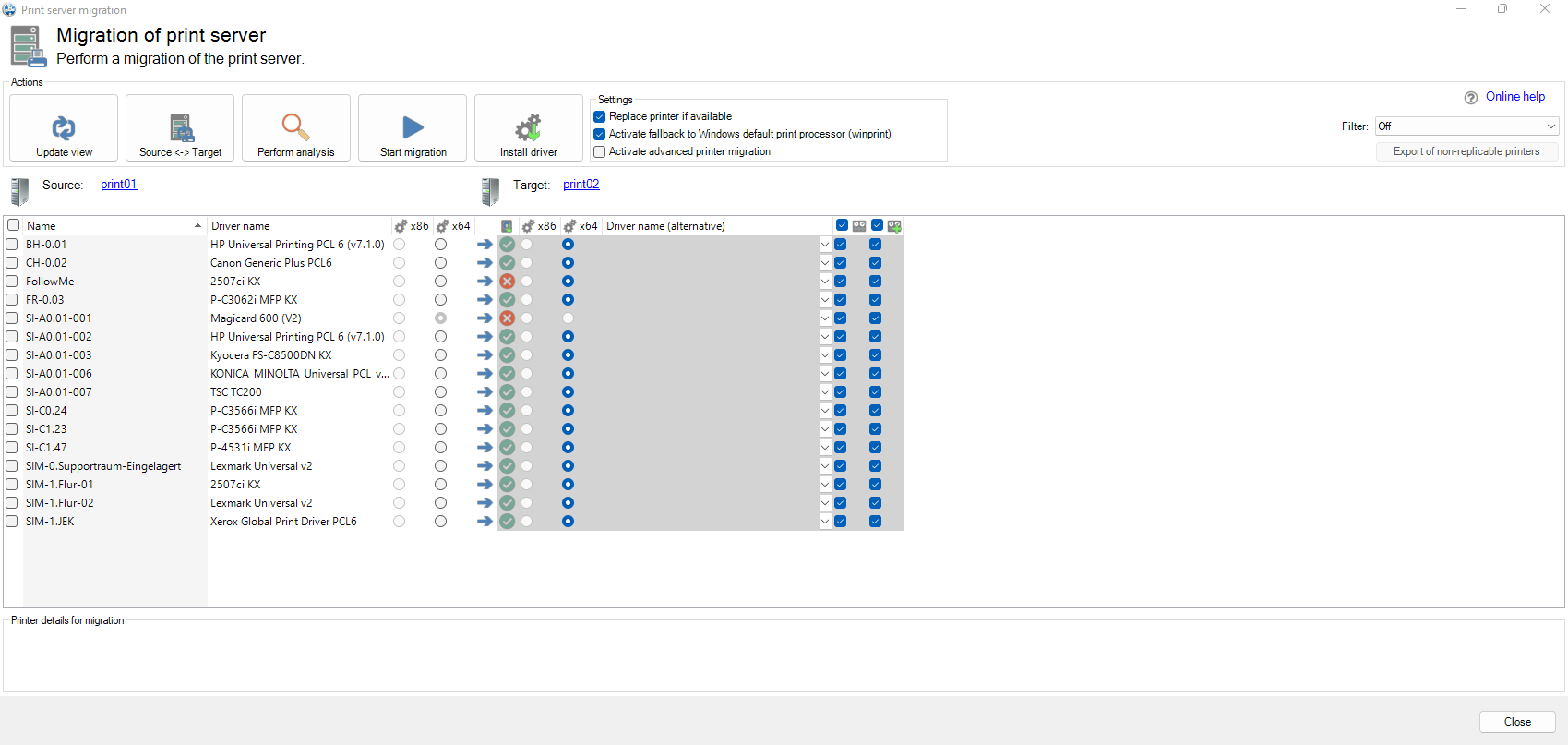
During a print server migration with steadyPRINT; all relevant printer drivers, configurations and settings are transferred from the existing to the new server (incl. name, driver, port, and sharing). This ensures that printing operations continue smoothly without having to reconfigure printer connections. This allows you to continue your business operations without major interruptions.
User migration
steadyPRINT automatically deletes all printer connections from users on the old print server and switches them to the new print server.
Driver migration
If drivers need to be changed or updated during a migration, steadyPRINT provides you with a selection of alternative drivers on the target system. You can have this selection automatically applied to all relevant cases.
VIDEOS.
What can steadyPRINT do for you?
Let us secure your processes. So your business can keep running.