Schneller Start
Shorter login times (on average 30% faster than with GPOs).

With steadyPRINT, managing your printing environment becomes easier than ever.
Get all your work done in one clearly structured solution: Easily manage intelligent printer assignments in real time, take advantage of intuitive default printer and driver management, and much more. Minimize your administrative workload—no matter how large or diverse your environment is.
The steadyPRINT Center is the heart of our solution. Here, you have a complete overview of your printing environment and can manage all your printing tasks from a single, centralized console. You need exactly one solution—no additional tools and no workarounds. In addition to the desktop version, steadyPRINT offers the WebCenter, an additional web-based option, so you can work from anywhere and on any device.
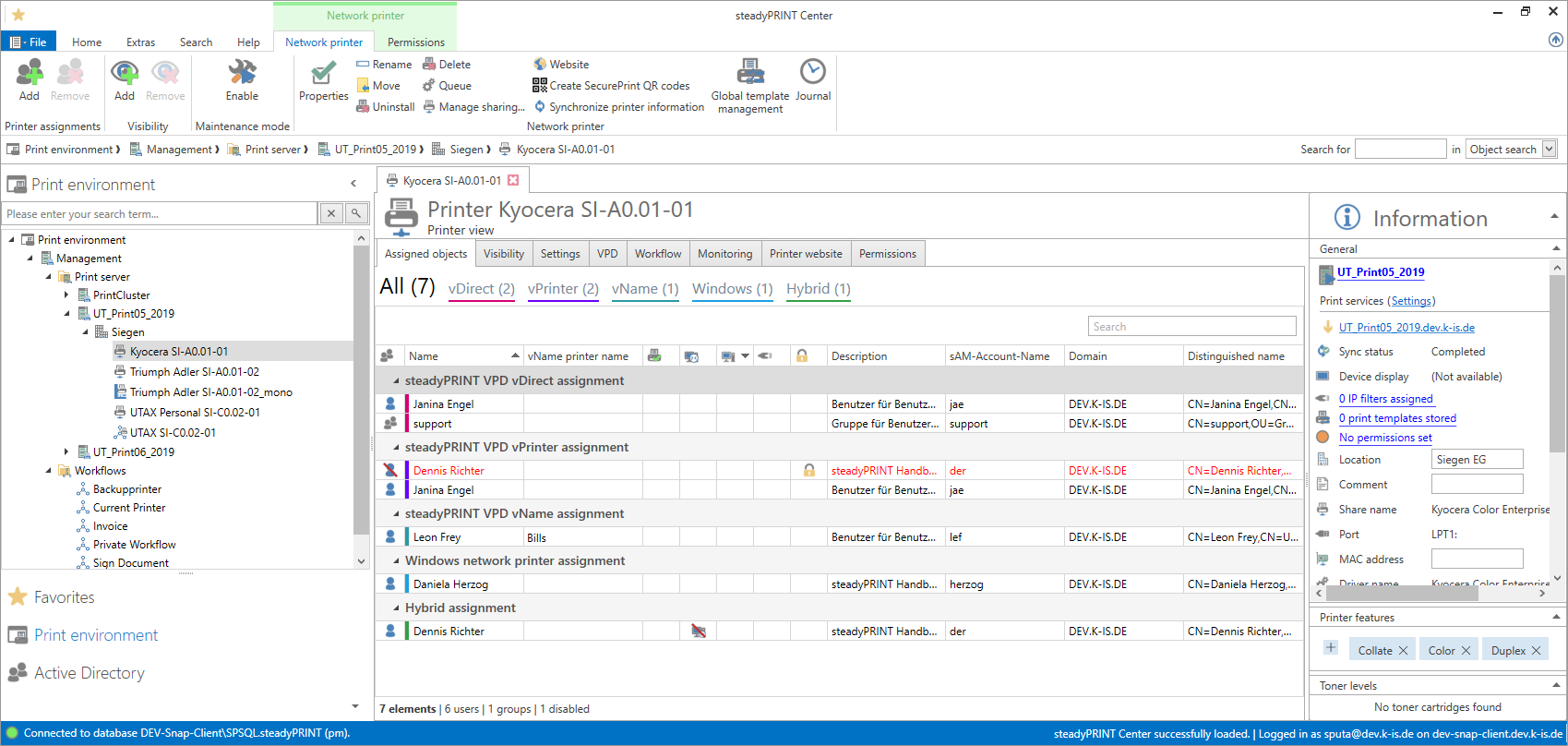
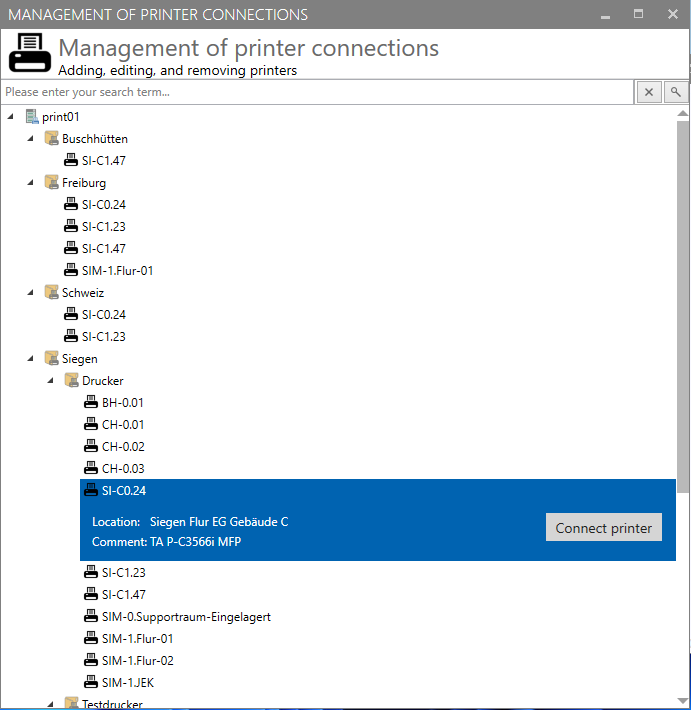
Manage all printer administration tasks centrally and take advantage of the intuitive and user-friendly interface. During the inventory process, steadyPRINT captures all printer assignments for your users (including local printers) and — if desired—information about all workstations in use within the system. A recursive folder structure (tree structure) makes it easy to map your company’s organizational structure.
The steadyPRINT Center can be installed as many times as desired on different computers or servers. Thanks to multi-admin management, multiple administrators can work simultaneously and are notified of changes via journaling. Administrator permissions are controlled by a role-based permission system.
With steadyPRINT, you can create and manage Windows network printers, local printers, and various driverless network printer assignments.
Printer assignments can be created based on users, groups, folders, organizational units, MAC addresses, computers (including thin clients), and Entra-ID. steadyPRINT allows separate printer assignments for terminal servers and workstations. Newly connected printers are immediately available to users without requiring them to log in again.
Local printers: Local - but centralized
Locally connected printers (e.g., via USB) can be added to the inventory and managed centrally through the steadyPRINT Center.
Windows network printer: The classic
Classic use of your Windows network printers with native printer drivers.
VPD vDirect Printer: Just like usual – only better
Deploy your network printers using the steadyPRINT Virtual Printer Driver. This eliminates the need for any driver maintenance on the client side. Nothing changes for the user.
VPD vPrinter: Driverless universal printer
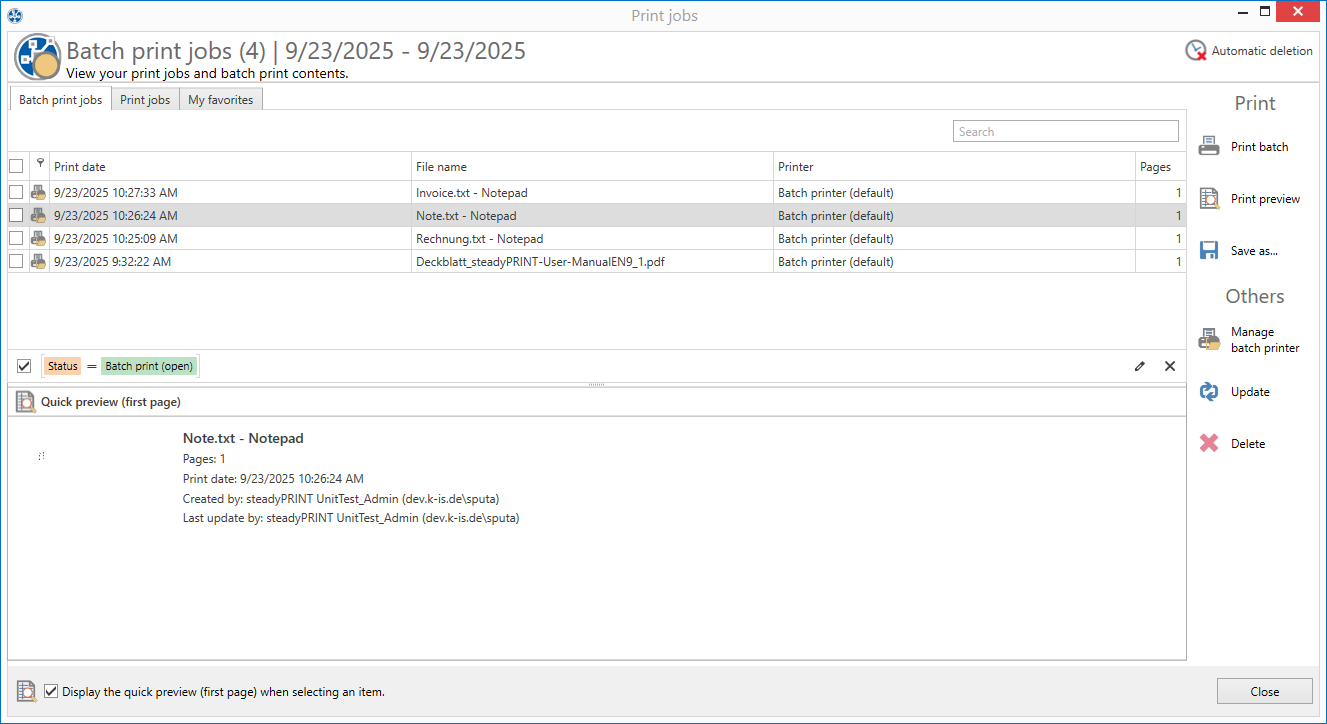
Users will now have only one printer that offers them a wide variety of options for each print job (e.g. printing to a physical printer, batch printing, PDF printing, sending via email, etc.).
steadyPRINT Hybrid: Serverless printing
Local IP printers with native Windows printer drivers for small branch offices without their own print server. Centralized configuration, but without affecting the WAN connection during the printing process.
VPD vName Printer: The solution for special systems
For all special systems (e.g. DATEV, HIS, ERP systems, etc.). Migration of the printer management from the specialized application to the user-friendly management console of steadyPRINT.
VPD vFlow: Workflows
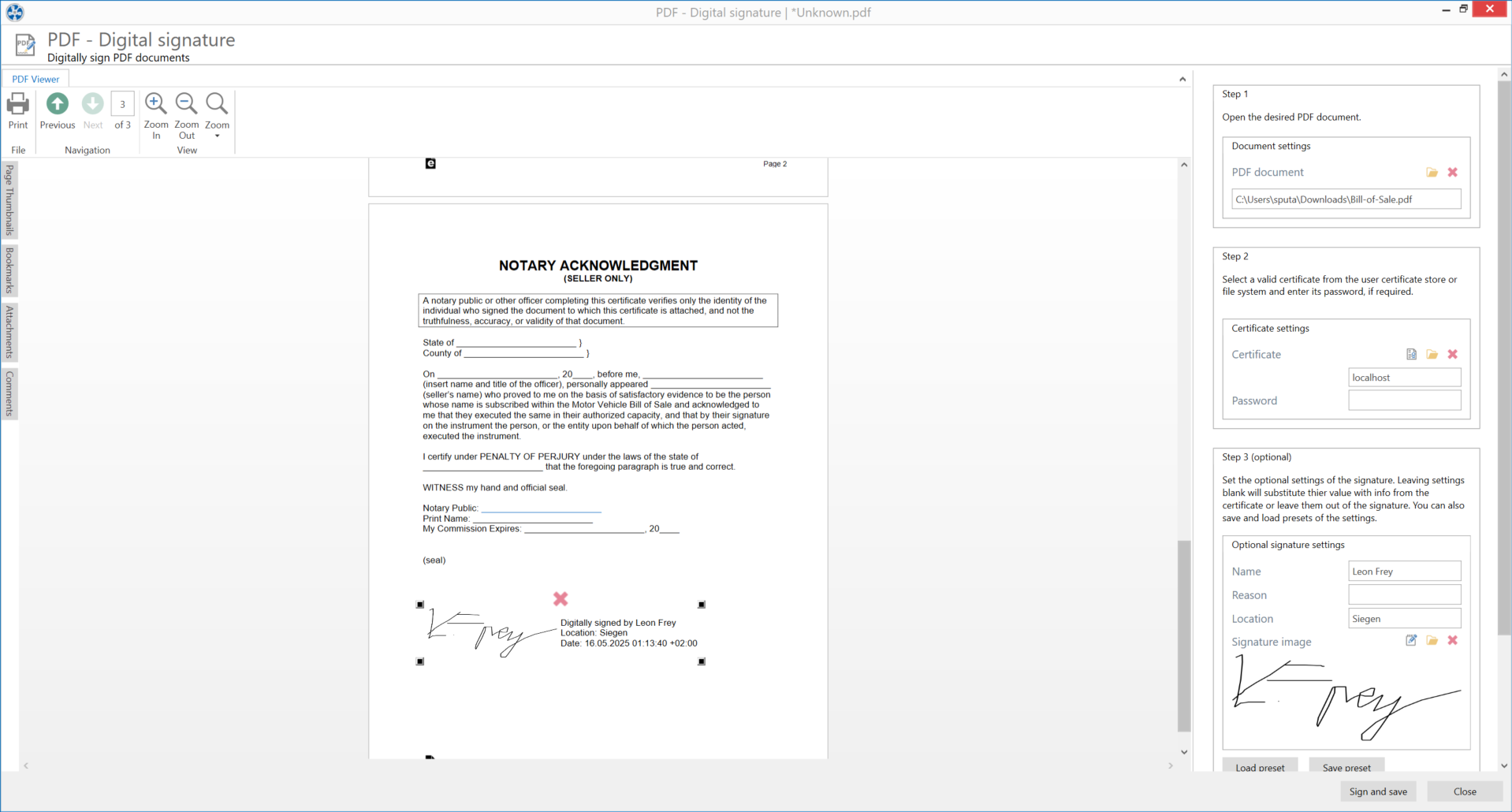
Define your own workflows for your documents, such as PDF generation, email sending, and printing with specific settings, and much more – all with a single click. The workflow is made available just like a regular printer or can be selected in the steadyPRINT vPrinter.
VPD SecurePrint: Secure and flexible printing
Log in to the printer of your choice and directly start your print jobs from there. Stay flexible and prevent confidential documents from being read at the printer.
steadyPRINT SAP printer
Secure printing from SAP, including feedback.
Local printers: Local – but centralized
Locally connected printers (e.g., via USB) can be added to the inventory and managed centrally through the steadyPRINT Center.
Windows network printers: The classic
Classic use of your Windows network printers with native printer drivers.
steadyPRINT Hybrid: Serverless printing
Local IP printers with native Windows printer drivers for small branch offices without their own print server. Centralized configuration, but without affecting the WAN connection during the printing process.
steadyPRINT SAP Printer
Secure printing from SAP incl. feedback
VPD vPrinter: Driverless universal printer
Users will now have only one printer that offers them a wide variety of options for each print job (e.g. printing to a physical printer, batch printing, PDF printing, sending via email, etc.).
VPD vDirect Printer: Just like usual – only better
Deploy your network printers using the steadyPRINT Virtual Printer Driver.
This eliminates the need for any driver maintenance on the client side. Nothing changes for the user.
VPD vName Printer: The solution for special systems
For all special systems (e.g. DATEV, HIS, ERP systems, etc.). Migration of the printer management from the specialized application to the user-friendly management console of steadyPRINT.
VPD vFlow: Workflows
Define your own workflows for your documents, such as PDF generation, email sending, and printing with specific settings, and much more – all with a single click. The workflow is made available just like a regular printer or can be selected in the steadyPRINT vPrinter.
VPD SecurePrint: Secure and flexible printing
Log in to the printer of your choice and directly start your print jobs from there. Stay flexible and prevent confidential documents from being read at the printer.
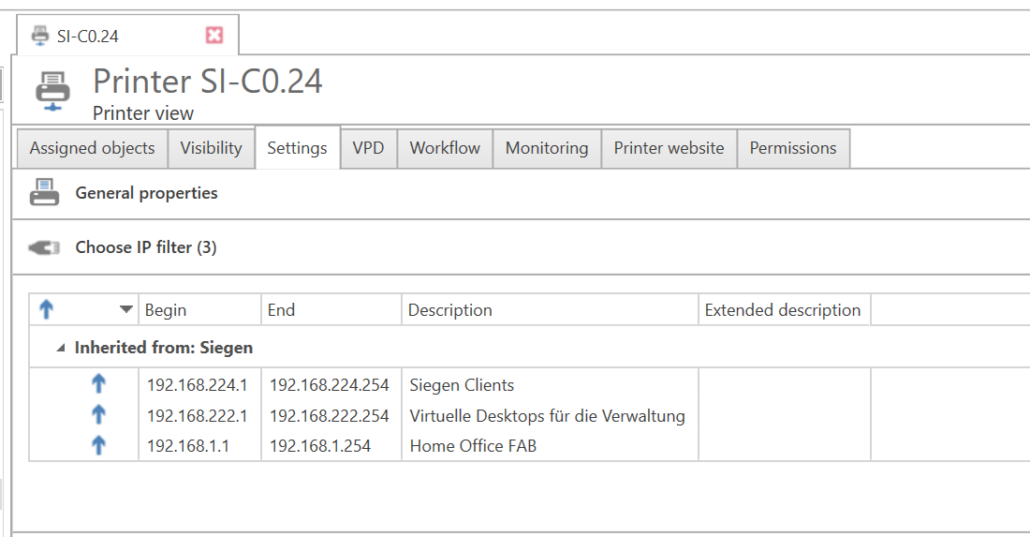
Define IP ranges for different departments or locations. An IP filter can be created on the print server, folders, or printer level. When changing locations, all printer connections and default printers are automatically and immediately adjusted to the respective IP range. This ensures that all users are always automatically connected to the correct printer.
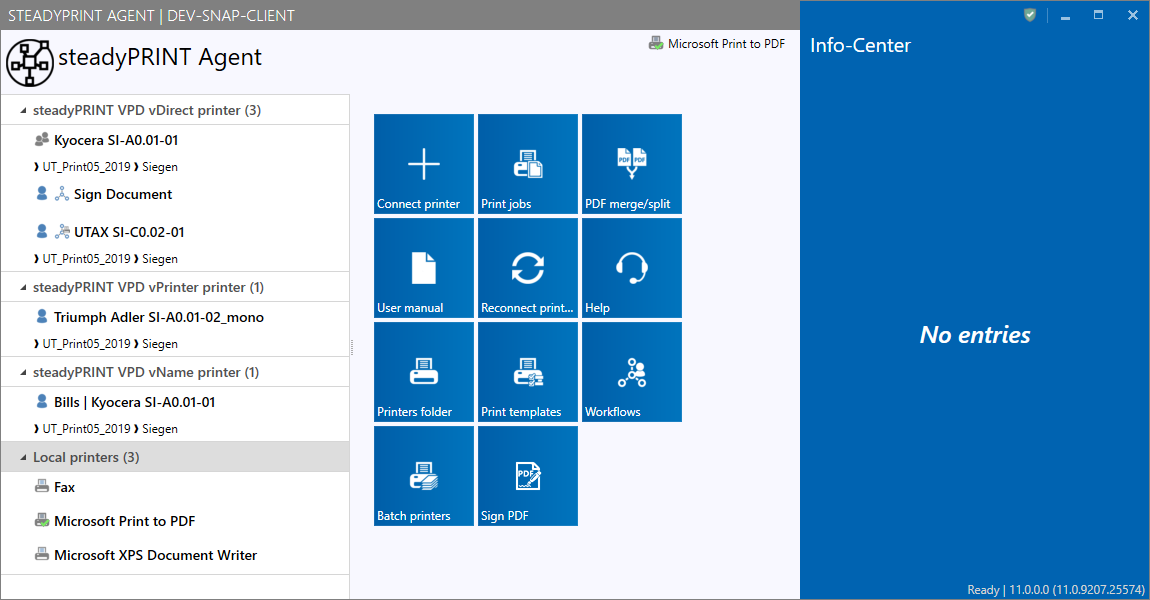
Users benefit significantly from using steadyPRINT! It’s up to them to decide whether – and to what extent – they consciously take advantage of the wide range of additional features. With the steadyPRINT Agent, we provide your users a clear and intuitive tool.
However, even if steadyPRINT runs “only in the background” and you choose not to use the steadyPRINT Agent, users will still enjoy the following benefits:
The steadyPRINT Agent provides users with an overview of all their printer assignments. Thanks to its intuitive interface, users can easily add or remove printer assignments or set a default printers – even without any knowledge of Windows. If IP ranges are defined, users will only see the printers in the IP range in which they are located.
The steadyPRINT Agent can be customized according to your specifications (branding, CI). By creating Agent profiles, you can configure user-, group-, and computer-specific settings for the display and functions of the steadyPRINT Agent. This allows individual functions (tiles) to be shown or hidden as needed. Available languages: DE + EN
In addition, the steadyPRINT Agent offers a range of additional features that make day-to-day work easier:
Make your life easier. Just contact us to find out how steadyPRINT can make a lasting difference in your day-to-day work.