Installation of the SecurePrint App(Last update of this topic: 04-01-2026) |
  
|
(Last update of this topic: 04-01-2026)
Installation of the SecurePrint App(Last update of this topic: 04-01-2026) |
|
SecurePrint App as PWA
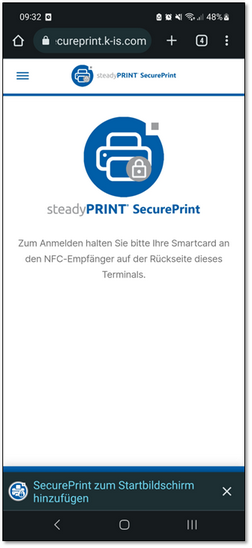
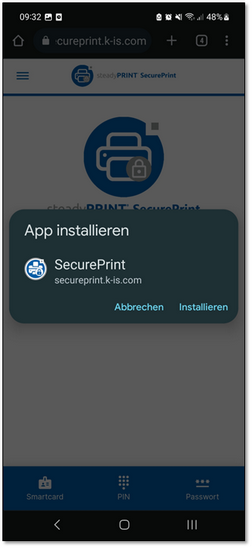
When the link to the SecurePrint App is called up (whether Printer Terminal or BYOD device), the user has the option to always access the app in the browser or to install the app (Progressive Web APP – PWA) in the smartphone and to use it as a normal app. Shortly after calling up the app the message Add SecurePrint to Home Screen will be displayed at the bottom of the screen (see left figure). If the user clicks this message, SecurePrint can be installed as an app (see right figure). A custom icon will then be created so that the SecurePrint App can always be accessed.
Figure 101: Installation PWA
SecurePrint App native
As of version 11.5, the native apps for iOS and Android are also available in their respective app stores. The setup process is the same.